Alexandre Gomes Gaigalas – December 22, 2025
If you’ve ever run a command with a --dry-run flag, you probably knew what it did. It ran the thing, but
not the whole thing.
More specifically, a dry run runs all but the irreversible parts of an operation.
For example, let's say you have a command-line program called cleanup-database:
$ cleanup-database --help
usage: cleanup-database [options]
Removes old data from the database.

Options:
--dry-run     Show what would be deleted, but don't actually delete anything
--force       Actually delete the data
When you run such program passing the --dry-run flag, it will show you what it would do without making
any changes:
$ cleanup-database --dry-run
The following records would be deleted:
- Record ID 12345
- Record ID 67890
No changes have been made.
This is particularly useful for commands that perform destructive actions, such as deleting files or modifying databases.
Dry runs are not limited to command-line tools. They can also be found in various programming libraries and frameworks, where they allow developers to simulate operations without making permanent changes.
I mean, why not --simulate or --preview? Where does the term "dry run" even come from?
It comes from the world of machining.
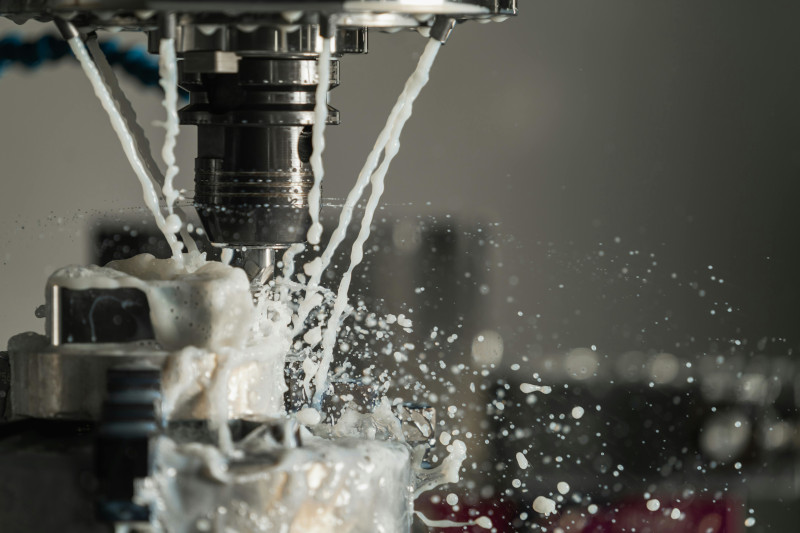
First, let me show you what a "wet run" actually is:
These operations are "wet" in the sense that a constant flow of lubrication fluid is needed to run the operation smoothly.
When you are testing the motions without actually performing any change, there is no friction or heat, so the lubrication fluid is not needed. This is a dry run, and that's where the term comes from.